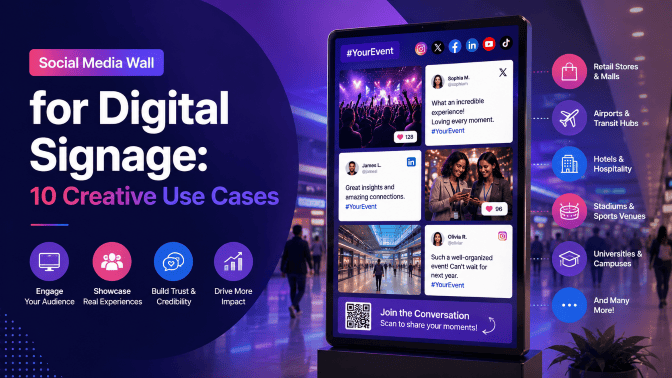
A social media wall for digital signage turns ordinary screens into dynamic displays filled with social media posts, user-generated content (UGC), customer photos, videos, hashtags, and brand mentions. Instead of showing only static announcements or promotional graphics, you can use your screens to showcase what customers, attendees, employees, and communities are sharing.
From event screens and retail stores to hotel lobbies and corporate offices, a social media wall can make digital signage more interactive, authentic, and relevant.
In this guide, we’ll explore 10 creative ways to use a social media wall on digital signage, along with practical ideas for what to display and where to place it.
What is a Social Media Wall for Digital Signage?
A social media wall digital signage is a curated stream of social media content displayed on physical screens.
A social wall platform collects content from supported social networks and sources using hashtags, mentions, profiles, keywords, or direct submissions. The content can then be moderated, customized, and displayed on TVs, LED walls, video walls, kiosks, event screens, and other digital signage displays.
The basic process is:
Collect → Moderate → Customize → Display → Engage
For example, an event organizer could collect posts containing an event hashtag, approve the best content, customize the social wall with event branding, and display it on large screens throughout the venue.
This turns digital signage into a two-way experience: the brand communicates with the audience, while the audience also contributes to what appears on the screen.
Why Use Social Media Content on Digital Signage?
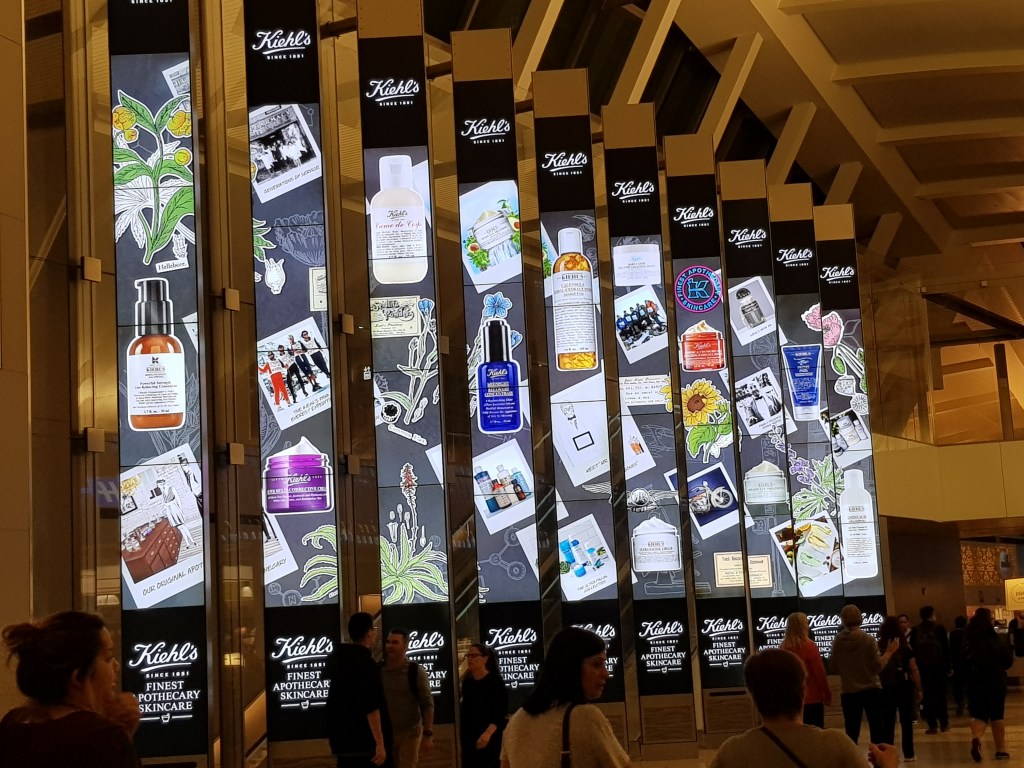
Traditional digital signage is usually controlled entirely by the organization. Social media walls introduce another source of content: the audience itself.
This can help you:
- Keep screens visually fresh
- Showcase authentic customer content
- Encourage social media participation
- Build social proof
- Create more interactive experiences
- Increase event engagement
- Highlight brand communities
- Encourage hashtag usage
- Give sponsors additional visibility
- Connect online activity with physical spaces
The advantage is particularly noticeable in places where people are already creating and sharing content, such as events, stores, restaurants, campuses, and brand activations. Current digital-signage use cases similarly emphasize UGC, event participation, retail social proof, hospitality experiences, and community engagement.
10 Creative Social Media Wall Use Cases for Digital Signage
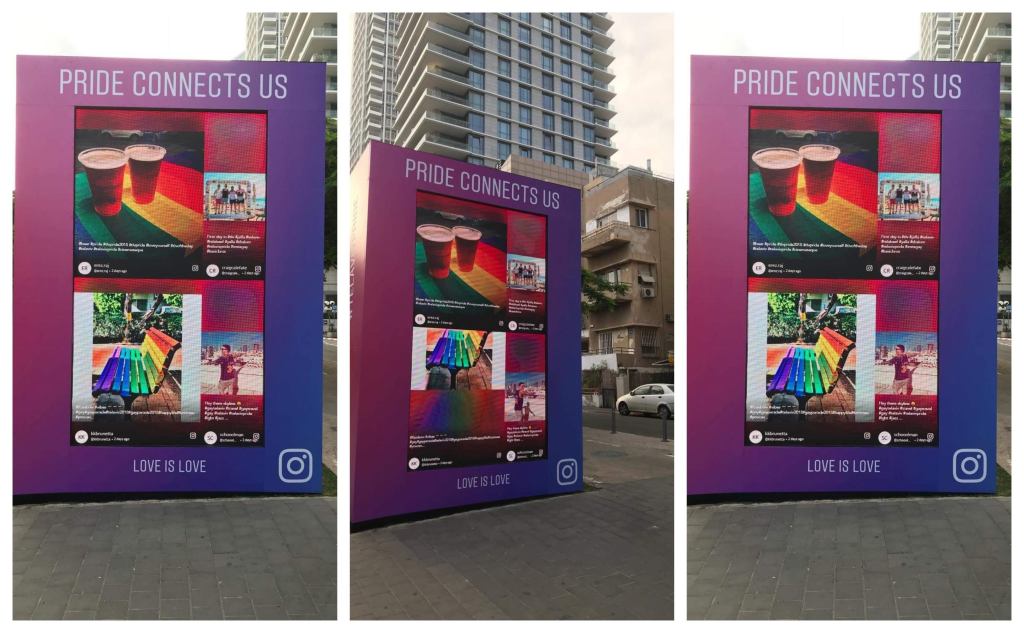
1. Turn Event Screens Into Live Audience Walls
Events are one of the most natural use cases for a social media wall.
Instead of using your event screens only for speaker presentations, schedules, advertisements, and announcements, dedicate part of the display to content created by attendees.
Encourage attendees to post photos and videos using your event hashtag. The social wall can collect approved posts and display them on screens around the venue.
What to display
- Attendee photos
- Event hashtag posts
- Speaker mentions
- Session reactions
- Behind-the-scenes content
- Networking moments
- Short videos
- Sponsor mentions
- Audience messages
Where to display it
Place the social media wall on:
- Main stage screens
- Registration displays
- Networking areas
- Exhibition screens
- Sponsor booths
- Lobby displays
- Breakout room screens
Why it works
When attendees see their content on a large screen, they have a reason to keep participating. The display becomes part of the event experience instead of simply being another information screen.
Event-focused social walls are already a major digital-signage use case because hashtags and attendee content can turn the screen into a visible extension of the event’s online conversation.
2. Create a Customer UGC Wall in Retail Stores
Retailers can use digital signage to bring customer experiences directly into the shopping environment.
Instead of showing only professionally produced product images, showcase real customers using and talking about your products.
For example, a fashion retailer could display customer outfit photos, while a beauty brand could showcase customer-created makeup looks.
What to display
- Customer photos
- Product posts
- Brand mentions
- Influencer content
- Customer videos
- Campaign hashtag posts
- Product reviews were supported
Where to display it
Use the wall:
- Near product displays
- In store entrances
- Near checkout areas
- In fitting areas
- In showrooms
- On large retail video walls
Creative idea
Create a branded campaign such as:
“Show us how you use it.”
Encourage customers to post using a campaign hashtag, then showcase selected posts on your in-store screens.
This turns customer content into a visual form of social proof at the point where shoppers are already considering products. Retail is repeatedly identified as a strong social-media-digital-signage use case for exactly this reason.
3. Turn a Restaurant Screen Into a Live Customer Experience Wall
Restaurants, cafés, bars, and food brands can use social media walls to showcase the experiences customers are already sharing.
Food is naturally visual, which makes customer-generated content particularly suitable for digital screens.
What to display
- Customer food photos
- Restaurant mentions
- Branded hashtag posts
- Short videos
- Influencer content
- Special-event posts
- Customer experiences
Where to display it
Consider placing the wall:
- Behind the counter
- Near the entrance
- In waiting areas
- On menu-adjacent screens
- In lounges
- On restaurant video walls
Creative idea
Create a rotating “What Our Guests Are Sharing” section.
It gives customers another reason to tag the restaurant and creates a display that changes throughout the day.
Hospitality is another established use case for social media digital signage, particularly where guest-generated content can reinforce the experience for other visitors.
4. Build a Social Wall for Hotels and Hospitality Spaces
Hotels can use social media walls to bring guest experiences into their physical spaces.
A hotel lobby, for example, can display selected guest photos, destination content, event posts, or branded social content.
What to display
- Guest experiences
- Destination photos
- Hotel mentions
- Event content
- Restaurant content
- Travel inspiration
- Influencer posts
- Branded hashtag content
Where to display it
- Hotel lobby
- Reception
- Lounge
- Restaurant
- Event spaces
- Conference areas
- Guest activity areas
Creative idea
Create a “Guests Are Exploring” wall featuring selected destination photo wall shared by guests.
This can inspire other visitors while encouraging more guests to share their own experiences.
5. Turn Your Office Lobby Into a Brand Story
Corporate digital signage doesn’t have to be limited to company announcements and presentations.
A social media wall can make an office reception or common area feel more connected to the company’s online presence.
What to display
- Company social posts
- LinkedIn content
- Employee achievements
- Company events
- Product launches
- Community initiatives
- Employer-branding content
- Selected employee-generated content
Where to display it
- Reception areas
- Employee lounges
- Cafeterias
- Meeting areas
- Visitor spaces
- Common areas
Creative idea
Create a rotating “Life at [Brand]” wall.
Showcase company events, team activities, employee achievements, and other approved social content.
This can make digital signage more human while giving employees and visitors a visual snapshot of the organization’s culture.
Social feeds on office screens are also being used to communicate company culture, campaigns, and team activity to employees and visitors.
6. Make Trade Show Booths More Interactive
Trade show exhibitors compete for attention in crowded environments.
A social media wall can help turn a booth screen into something that changes as people interact with the brand.
What to display
- Booth visitors’ photos
- Product demonstrations
- Brand mentions
- Event hashtag posts
- Customer reactions
- Influencer content
- Contest entries
- Sponsor or partner posts
Where to display it
Place the wall:
- Behind the main booth counter
- On an LED wall
- Beside product demonstrations
- Near photo activations
- On presentation screens
Creative idea
Run a booth-specific hashtag campaign.
For example:
“Visit Booth #125 → Take a Photo → Use #BrandAtEvent → See Yourself on the Wall.”
Now the screen becomes part of the activation itself.
It gives visitors a clear reason to interact with the booth and creates additional social content around the brand.
7. Create a Campus and University Community Wall
Universities and schools can use social media walls to showcase the activity happening across campus.
Student life generates a constant stream of photos, events, achievements, sports moments, and community content.
What to display
- Student achievements
- Campus events
- Sports content
- Graduation photos
- Student organization posts
- University announcements
- Alumni content
- Campus campaigns
Where to display it
- Student centers
- Campus entrances
- Libraries
- Cafeterias
- Sports facilities
- Event venues
- Reception areas
Creative idea
Create a “This Week on Campus” social wall.
Instead of relying only on official announcements, combine selected social posts with important campus information.
This gives students a reason to look at the screen because the content reflects what is actually happening around them.
Universities and schools are already using Instagram wall and social walls around orientation, graduation, campus events, and dedicated event hashtags.
8. Turn a Product Launch Into a Live Social Experience
A product launch creates a concentrated burst of social activity.
People photograph products, post first impressions, tag brands, and share launch-event experiences.
A social media wall can bring those reactions onto the launch screen.
What to display
- Product photos
- Customer reactions
- Influencer posts
- Event content
- Launch hashtag posts
- Product demonstrations
- Brand mentions
- Short-form videos
Where to display it
- Product launch stage
- Retail launch location
- Press event
- Exhibition area
- Brand showroom
- Pop-up experience
Creative idea
Create a “First Reactions” wall.
As approved posts come in, display the best customer and creator reactions alongside the product.
This gives the launch a live layer of social proof instead of relying only on pre-produced promotional content.
9. Create a Social Media Wall for Brand Activations
Social walls can become the central visual element of an interactive brand activation.
Instead of treating the screen as background decoration, connect it directly to the activity taking place around it.
Combine the wall with
- Photo booths
- QR codes
- Contests
- Giveaways
- Games
- Product experiences
- Hashtag campaigns
- Influencer activations
- Direct photo uploads
Example
Imagine a brand activation where visitors scan a QR code to upload a photo.
The best approved photos appear on the large screen behind them.
Now the journey becomes:
Participate → Create → Submit → Get Featured → Share
That creates a much more interactive experience than simply displaying a branded advertisement.
10. Turn Screens Into a Community and Social Proof Wall
Not every social media wall needs to be tied to a specific event or campaign.
You can use digital signage to continuously showcase your community.
This is especially useful for brands with an active customer base and a steady stream of social content.
What to display
- Customer experiences
- Brand mentions
- UGC
- Testimonials
- Community posts
- Campaign content
- Customer milestones
- Creator content
Where to display it
- Stores
- Offices
- Showrooms
- Reception areas
- Hospitality venues
- Customer experience centers
- Brand spaces
Creative idea
Create a permanent “Our Community” wall.
Rather than focusing only on your own marketing messages, use the screen to showcase the people who interact with your brand.
This makes the display feel more authentic and can encourage other customers to join the conversation.
Bonus: 5 More Creative Ways to Use Social Media Digital Signage
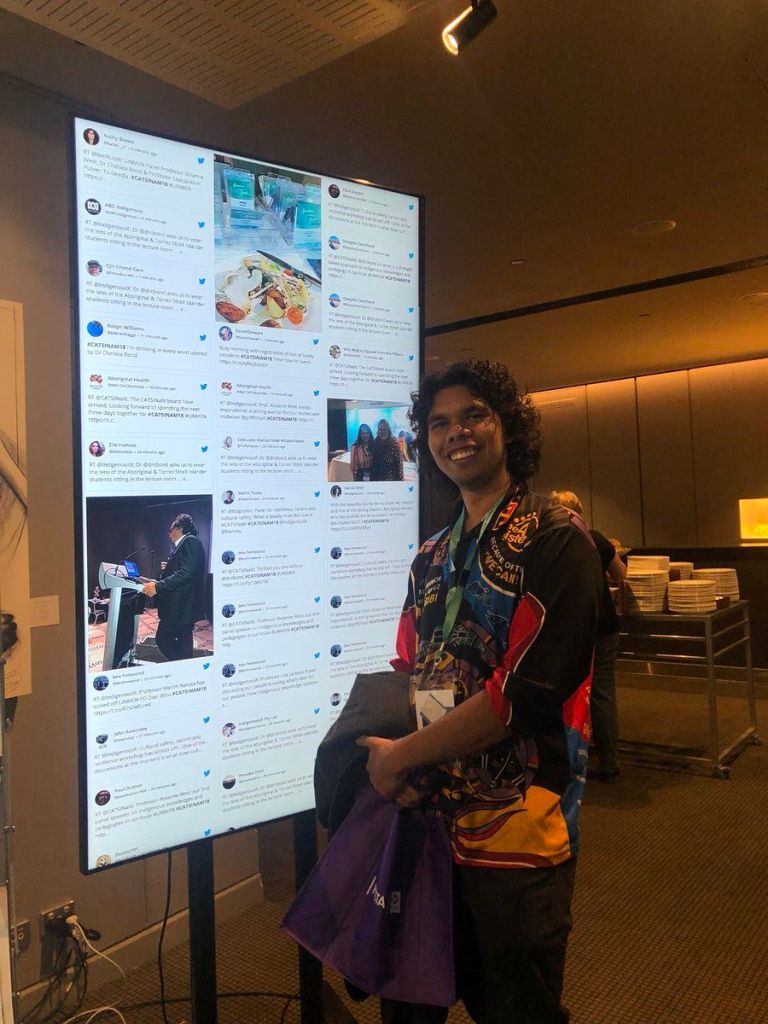
If you want to take your social wall strategy beyond the standard use cases, these ideas can make your displays even more interactive.
11. Live Social Wall for Conferences and Speaker Sessions
Create separate social feeds for individual sessions, speakers, or topics.
For example, while a keynote is happening, display selected attendee reactions and posts alongside the presentation.
After the session, switch the wall to highlight the best moments and audience responses.
This keeps the social content connected to the event program rather than treating it as a generic feed.
12. Employee Recognition Wall
Use your office screens to celebrate employees.
Showcase approved employee achievements, team milestones, company events, volunteer activities, and other culture-focused content.
This can turn an ordinary workplace screen into a recognition and community-building tool.
13. Social Wall for Photo Contests
Run a photo contest where participants submit content using a specific hashtag or QR code.
Display approved entries on your digital signage and announce winners on the same screen.
This gives participants a reason to keep checking the display and encourages additional submissions.
14. Sponsor and Partner Showcase
At conferences, exhibitions, and large events, create a social wall that combines attendee content with sponsor visibility.
For example, show approved attendee posts alongside sponsor logos, campaign messages, or QR codes.
This can give sponsors a more interactive presence than a static logo on an event backdrop.
15. Social Media + Digital Signage Content Playlist
You don’t have to dedicate your screen entirely to social media.
Create a playlist that rotates between:
Social Wall → Announcement → Product Video → Customer Content → Promotion → Social Wall
This approach allows you to combine live social content with your existing digital signage strategy.
Current digital-signage guidance recommends treating social feeds as part of a broader content playlist rather than assuming they need to occupy the screen continuously.
How to Choose the Right Social Media Wall Use Case
The best use case depends on what you want your digital signage to achieve.
| Goal | Best Social Wall Use Case |
| Increase event participation | Event hashtag wall |
| Build retail trust | Customer UGC wall |
| Encourage restaurant sharing | Guest experience wall |
| Improve hotel engagement | Guest and destination wall |
| Showcase company culture | Employee social wall |
| Attract trade show visitors | Interactive booth wall |
| Build campus community | Student social wall |
| Support a product launch | Live reaction wall |
| Increase activation participation | QR/photo social wall |
| Build long-term social proof | Community wall |
The key is to start with the audience action you want, then build the social wall around it.
For example:
Want more event posts? → Create a hashtag wall.
Want more customer trust? → Showcase UGC.
Want more booth engagement? → Connect the wall to an activation.
Want stronger employee participation? → Create an employee recognition wall.
Best Practices for Social Media Walls on Digital Signage
A social media wall works best when the content is relevant, readable, and carefully curated.
1. Moderate Before Displaying
Public screens need stronger content controls than private social feeds. Use moderation to prevent irrelevant or inappropriate posts from appearing.
2. Keep the Display Easy to Read
People may only glance at a screen for a few seconds. Use clear layouts, readable text, and strong visual hierarchy.
3. Match the Screen to the Environment
A large event LED wall needs a different design from a reception TV. Consider screen size, viewing distance, orientation, and content density.
4. Give People a Reason to Participate
Don’t simply display a social wall and expect people to post.
Promote your:
- Hashtag
- QR code
- Contest
- Photo activation
- Call to action
5. Mix Social Content With Other Digital Signage
Social content can work alongside announcements, videos, promotions, schedules, and other information.
6. Keep Content Fresh
Remove stale campaigns and outdated posts. A social wall should reflect the current audience and environment.
7. Test Before Going Live
Check your screen layout, internet connection, moderation settings, content sources, and display behavior before launching the campaign.
Why Social Walls by Taggbox for Digital Signage?
Social Walls by Taggbox helps brands turn social media content and UGC into engaging visual experiences for events, digital signage, campaigns, websites, and other touchpoints.
You can use Social Walls to:
- Collect content from multiple social sources
- Curate relevant posts
- Moderate content before displaying it
- Customize the social wall
- Showcase UGC
- Display social content on digital screens
- Encourage audience participation
- Create branded social experiences
- Support event and campaign activations
This makes it possible to move from a basic social feed to a more controlled, branded social media wall for digital signage.
Final Takeaway
A social media wall for digital signage can turn an ordinary screen into a living reflection of your audience.
Whether you’re displaying attendee posts at a conference, customer photos in a retail store, guest experiences in a hotel, employee content in an office, or product reactions at a launch, the idea is the same:
Let your audience become part of what appears on the screen.
The most successful social walls don’t simply display social media content. They give people a reason to participate, share, connect, and engage.
And when that content becomes part of your digital signage, the screen stops being just another display and becomes part of the experience.
Frequently Asked Questions
What are the best social media wall use cases?
Some of the strongest use cases include events, conferences, retail stores, restaurants, hotels, corporate offices, universities, trade shows, product launches, brand activations, and community spaces.
How can a social wall increase digital signage engagement?
A social wall can encourage people to participate by giving them a chance to see their own posts, photos, or videos displayed publicly. This can create a cycle where people post more content because they see other audience members being featured.
Can I display social media content from multiple platforms?
Yes. A social media wall can combine content from multiple supported social networks and sources into one display, depending on the capabilities of the platform you choose.
Do social media walls need moderation?
For public-facing digital signage, moderation is strongly recommended. It helps prevent spam, inappropriate content, irrelevant posts, and other unwanted content from appearing on your screens.
Can attendees upload photos directly to a social wall?
Some social wall platforms support direct photo and video submissions, often through QR codes. This can allow attendees to contribute content without having to publish it on their own social media profiles.


Leave a Reply